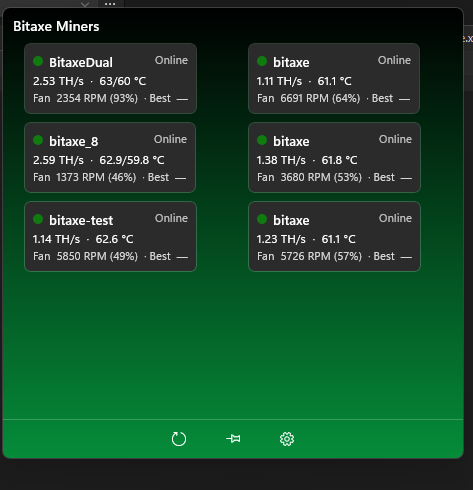
A small, always-on-top window shows live temperature, hash rate, and difficulty for every Bitaxe miner on your local network -- built for anyone running a solo-mining swarm at home who wants a glanceable status view without keeping a browser tab open.
Scans your local network to find Bitaxe devices automatically, or add them by IP address yourself.
A compact window stays on top of everything else, showing temperature, hash rate, and difficulty for the whole swarm at a glance.
A Windows notification lets you know if a miner goes offline or runs hot, with a click-through to that miner's details.
Whether you've got one Bitaxe or a dozen, the main window lays them out in a compact grid so you can check temperatures and hash rates across your whole swarm without opening each device's own web page.
Solo Miner Reader only ever talks to devices on your own local network. There's no cloud service, no account to create, and nothing about your miners or your mining is sent anywhere else.
Questions, bug reports, or feedback are welcome -- email colin@coolin.co.uk directly.
Solo Miner Reader does not use analytics, advertising, or tracking of any kind, and there is no account or sign-in. The app talks only to the Bitaxe miner addresses you configure, all on your own local network -- nothing is ever sent to the internet or to any server operated by Coolin, Serversoup, or anyone else. Your miner list and settings are stored only on your own PC.